
How to Dispose of Old Electronics in Charleston
Table of Contents
- Why Proper Electronics Disposal Matters
- Charleston County Electronics Recycling Locations and Drop-Off Options
- How to Wipe Data from Electronics Before Recycling
- Donate Used Electronics in Charleston Before Recycling
- Electronics Pickup and Professional Removal in Charleston
- Step-by-Step: Preparing Electronics for Disposal
- Common Mistakes to Avoid When Disposing of Old Electronics
- Frequently Asked Questions
Last Updated: October 9, 2026
Why Proper Electronics Disposal Matters
Old electronics contain lead, mercury, and cadmium that poison soil and groundwater in landfills, and your personal data stays on the device unless removed when you dispose of old electronics.
ND Junk Removals helps homeowners and businesses handle electronics responsibly. Disposing of old electronics in Charleston is straightforward: recycle through local programs, donate working devices, or hire professionals.
Charleston County Electronics Recycling Locations and Drop-Off Options
Charleston County, the City of Charleston, and North Charleston run different programs, and showing up at the wrong site with the wrong item is the most common wasted trip. Check the logic below before you load the car.
First, figure out which program covers you
- Unincorporated Charleston County residents use the county’s convenience centers and electronic waste program, funded for county households.
- City of Charleston residents may have curbside bulky-item pickup through city sanitation, plus county drop-off access, depending on item and address.
- North Charleston residents have their own sanitation department and bulky waste rules.
Residency is enforced at many convenience centers. Staff may ask for a driver’s license or a utility bill showing a qualifying address. If you are hauling a load for a relative who lives in a different jurisdiction, confirm eligibility before you drive.
Convenience centers: what to expect on site
County convenience centers are the default free option for household electronics. Expect these realities:
- Hours are not uniform. Most centers run six days a week with one weekday closure, many close early on weekends, and hours shift seasonally. Check the county’s page the morning you go.
- Some sites are ‘staffed’ and some are ‘unstaffed.’ Staffed sites answer acceptance questions on the spot; unstaffed sites rely on signage, and a wrong item left behind may count as illegal dumping.
- Electronics are usually collected in a dedicated container or roll-off, separate from garbage and yard debris. Ask the attendant to point you to it.
Item-by-item: what actually gets taken
Acceptance varies by site, but the county’s e-waste pattern is consistent enough to plan around.
Almost always accepted at electronics drop-off:
- Desktop towers, laptops, and servers
- Monitors and flat-panel displays
- Televisions, including older CRT units
Usually accepted but handled separately:
- Batteries. Alkaline, lithium-ion, and rechargeable batteries are typically collected in their own container. Loose lithium batteries are a fire risk in a mixed bin.
- Fluorescent tubes and CFL bulbs. These contain mercury and go in a lamp-specific container. Broken bulbs are often refused.
- Small appliances like toasters and coffee makers, if they have a cord and no refrigerant.
Often refused or requiring a different route:
- Refrigerators, freezers, washers, dryers, and window AC units. These are appliances, not e-waste, and refrigerant-containing units need a separate appliance program or a scrap metal hauler.
- Anything leaking, swollen, or visibly burned. A swollen lithium battery or a cracked CRT is a hazmat question, not a drop-off question.
- Commercial volumes, palletized loads, and medical or industrial equipment.
Photograph your load before you leave the house. If a site turns away an item, you have a record of what you were carrying and can call the county’s solid waste line to find the correct destination instead of guessing.
Scheduled collection events
The county and its recycling partners periodically run one-day electronics collection events, often in spring and fall, the best option for a large single load, an awkward item, or a mix of electronics and household hazardous waste. Events are announced on county solid waste and municipal social pages, are typically free for residents, and can have long vehicle lines early.
Before you go: a 60-second checklist
- Confirm your address falls under the program you plan to use.
- Check today’s hours on the county or city page, not a cached listing.
- Remove and bag loose batteries; keep them separate from devices.
- Keep fluorescent bulbs in their sleeves or original packaging.
- Wipe your data first (see the data-removal section below).
- Bring ID if unsure about residency verification.
Charleston County convenience centers and electronics recycling
If a site turns you away or you have a mixed load of electronics and appliances, a local hauling service can sort it and route each item to the correct program in one trip.
How to Wipe Data from Electronics Before Recycling
Recycling old electronics without removing your data is a serious privacy mistake. Passwords, photos, financial records, and emails can stay on the device even after you think it’s erased.
Data Removal for Computers and Laptops
Back up files you want to keep using cloud storage, an external drive, or a service like Google Drive or Dropbox, then erase the device completely.
If you’re not comfortable doing this yourself, a local repair shop can offer data destruction for a small fee.
After wiping the drive, physically destroy the hard drive if the device is very old, a few hard strikes with a hammer renders it unreadable.
Securing Mobile Devices and Storage Media
Smartphones and tablets hold more personal data than computers.
Factory reset next: on iPhones, Settings > General > Reset > Erase All Content and Settings; on Android, Settings > System > Reset Options > Erase All Data.
USB drives, SD cards, and external hard drives also need secure wiping.
For flash drives and small storage media, physical destruction is fastest. Snap them in half or use a drill to make the chips unreadable.
Donate Used Electronics in Charleston Before Recycling
Recycling is the fallback, not the first move. A working laptop or monitor has more value reused than shredded, and donation is usually faster than a recycling run, but donation centers are pickier and rules differ by organization.
The reuse-first decision tree
Run each device through these questions in order:
- Does it power on and function? If yes, it is a donation candidate. If no, recycle it unless it is a high-value item worth a repair quote.
- Is it less than roughly eight to ten years old? Many organizations refuse older machines because refurbishing costs exceed resale value.
- Does it have a cracked screen, swollen battery, or missing power supply? Those are usually refused; a swollen battery is a safety issue, not a donation.
- Is your data removed? Donation centers will not wipe devices for you. Sign out of accounts and factory reset first.
- Is it a CRT television or an old printer? Many donation centers no longer accept these because they cannot resell them. Route them to recycling.
If a device works and is under a decade old, donate it. If it does not power on, has a damaged battery, or is a bulky legacy item, recycle it. Everything in between is a judgment call based on whether a local organization currently wants that category.
Where to donate in the area
Goodwill is the most reliable general option, accepting computers, monitors, laptops, tablets, and many peripherals through a refurbishing and resale pipeline.
Habitat for Humanity ReStores focus on building materials and home goods, but some locations accept select electronics and small appliances.
Local schools, libraries, and community technology programs are the best home for older but functional computers, monitors, and tablets.
Manufacturer and retailer take-back programs are worth checking for recent devices.
Call Now & Save $20 OFF Your Pickup! →
What donation centers refuse
Knowing the refusal list prevents the most common wasted trip:
- CRT televisions and CRT monitors. Heavy, obsolete, and expensive to handle. Assume refusal unless a specific event says otherwise.
- Devices with swollen, leaking, or missing batteries. Safety and liability issue.
- Printers and ink cartridges. Low resale value and messy to handle.
Receipts and tax deductions
If you itemize deductions, ask for a dated receipt at drop-off; for a single high-value item, some organizations provide a signed acknowledgment, and for a large donation a written valuation is standard practice. Keep your own record of make, model, and condition, and photograph the items before donating. IRS rules tighten as the claimed value rises, so check current IRS guidance.
When donation is not worth the trip
Donation stops making sense when the device is broken, no local organization wants that category, or the round trip costs more time than a recycling drop-off, go straight to recycling. If you have a mix of donatable and recyclable items, a hauling service can separate them, deliver working devices to a donation partner, and route the rest to a recycler in one visit.
Electronics Pickup and Professional Removal in Charleston
Hauling old electronics yourself is heavy, risky work. If you have multiple devices, a broken television, or old appliances mixed in, professional pickup makes sense.
Professional removal services load items safely, transport them responsibly, and ensure everything goes to proper recycling or donation facilities, especially valuable if you’re downsizing, cleaning out an inherited home, or managing a business cleanout.
Transparent pricing matters. Good providers quote upfront costs with no hidden fees. You know exactly what you’ll pay before the team arrives.
Step-by-Step: Preparing Electronics for Disposal
Getting your electronics ready for pickup or drop-off prevents delays.
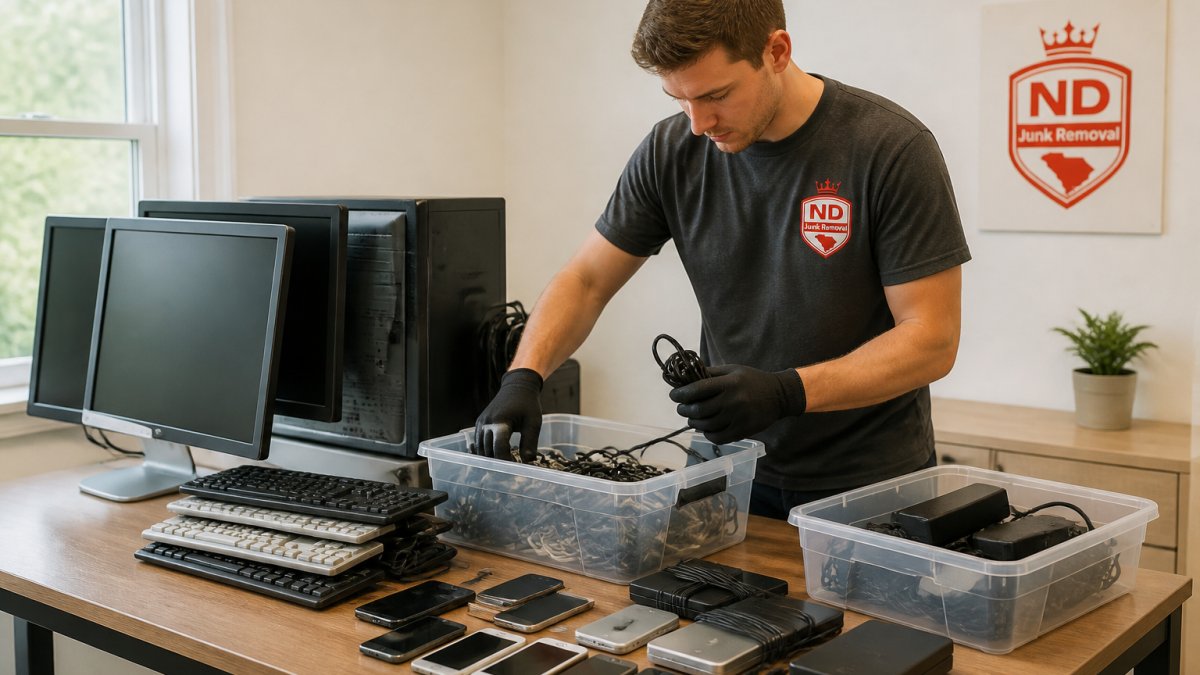
Inventory and Sort Your Electronics
Walk through your home and list everything you’re disposing of, old computers, monitors, televisions, printers, and smaller devices, noting item type, brand, and condition (working or broken).
Group similar items together, computers in one pile, cables in another, small devices in a third, to help the recycling facility process items faster.
Separate items you want to donate from those you want to recycle, donations go to nonprofits, recycling to e-waste processors, to prevent confusion on pickup day.
Handle Hazardous Components Safely
Some electronics contain hazardous materials that need special care: batteries, fluorescent bulbs, and cathode ray tubes (old monitor tubes).
Fluorescent bulbs and LED lights contain small amounts of mercury. Keep them intact and separate, not loose in a box where they might break.
If a device is broken or leaking, tell your recycler or pickup service, they have procedures for handling damaged electronics safely.
Pack and Transport Responsibly
Use sturdy boxes or bins for small items, wrap cables to prevent tangling, and stack monitors and screens carefully to avoid cracks.
If you’re transporting items yourself, secure everything with rope or straps, sudden stops can cause devices to shift and break.
For heavy items like old televisions or large monitors, wait for professional pickup, they’re awkward and easy to drop, creating safety hazards and damaging the devices.
Common Mistakes to Avoid When Disposing of Old Electronics
Many people make preventable mistakes when they dispose of old electronics.
Throwing electronics in regular trash. This is illegal in many areas and harms the environment.
Skipping data removal. Erasing files isn’t enough, a determined person can recover deleted data.
Waiting too long to dispose of old devices. Broken electronics take up space and collect dust.
Disposing of old electronics properly protects your privacy and the environment.
| Disposal Method | Best For | Time Required | Cost |
|---|---|---|---|
| Convenience center drop-off | Small quantities, working items | 1-2 hours | Free to low cost |
| Donation to nonprofits | Working devices you want reused | 1 week scheduling | Free |
| Professional pickup service | Large quantities, heavy items, mixed electronics | Same-week scheduling | Varies by volume |
| Data destruction service | High-security data removal | 1-2 days | Low to moderate |
Frequently Asked Questions
Where can I recycle old electronics in Charleston?
Charleston County operates convenience centers that accept electronics for recycling, including computers, laptops, monitors, televisions, and cell phones. Hours and accepted items vary by location. Contact your local convenience center or visit the Charleston County website for current drop-off sites, hours, and any residency requirements. Many retailers and manufacturers also offer mail-back programs for specific devices.
How do I wipe data from electronics before recycling?
For computers and laptops, use built-in tools: Windows users can reset the device using Settings > System > Recovery, while Mac users should use Erase Mac. For phones, perform a factory reset in Settings. For older devices or those with failing drives, physical destruction or degaussing by a certified data destruction service ensures complete data removal. Never recycle devices with sensitive data intact.
Can I donate working electronics in Charleston instead of recycling them?
Yes. Working computers, monitors, phones, and televisions are accepted by local nonprofits, schools, libraries, and community organizations. Donating extends the device’s life and benefits the community. Before donating, back up your files, erase all personal data, and verify the device powers on. Contact local charities or check donation networks to find organizations accepting electronics donations in your area.
Can a junk removal service pick up old electronics in Charleston?
Professional junk removal services handle electronics pickup and ensure responsible disposal or recycling. This is convenient for large quantities, multiple devices, or when you lack transportation. Services typically offer scheduling flexibility and handle all the heavy lifting. Confirm that your provider recycles or donates items responsibly rather than sending them to landfills.